
Start with your question
These guides cover file compression in plain language – what an archive is, which format to use, and how to open one on whatever device you have. Each guide is self-contained, so there is no order to follow. Pick the one that matches what you are trying to do.
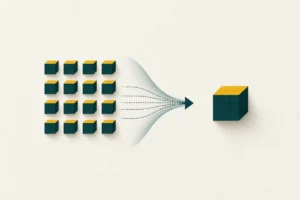 How ZIP compression worksThe simple idea behind shrinking files: store repetition once, bundle the rest, and restore everything byte for byte.
 ZIP vs RAR vs 7z: which format to useZIP opens everywhere, 7z squeezes hardest, RAR adds recovery records. Here is how to choose between them for any job.
 How to open and extract a ZIP fileStep-by-step extraction on Windows, macOS, Linux, Android and iPhone - plus what to do when an archive will not open.
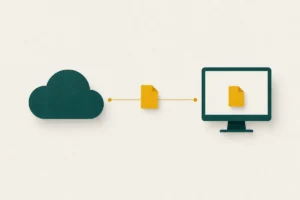 Compressing files: online vs desktop toolsOnline tools need no install but upload your files; desktop tools keep data local with no size cap. When to use each.
If you only read one thing
For everyday sharing, create a .zip. It opens on practically every computer and phone without extra software, which makes it the safest choice when you cannot predict the other person’s setup. Reach for .7z only when squeezing the file as small as possible matters more than convenience, and when you know the recipient can open it. The .rar format adds professional features such as recovery records, but it cannot be created without paid software, so it is a poorer fit when everyone needs to repackage files too.
What each guide covers
The four guides are built to answer one practical question each, with no filler in between:
- How ZIP compression works explains the idea behind shrinking files – storing repetition once – and why some files shrink a lot while others barely change at all.
- ZIP vs RAR vs 7z sets the three common formats side by side on compatibility, compression strength, licensing and recovery features, so you can choose with confidence.
- How to open and extract a ZIP file gives step-by-step instructions for Windows, macOS, Linux, Android and iPhone, plus fixes for damaged or password-protected archives.
- Online vs desktop tools weighs the privacy, file-size and speed trade-offs between uploading files to a web service and compressing them on your own machine.
How to choose at a glance
The right tool usually follows from three questions: who needs to open the file, how large it is, and how private it is. If the recipient’s setup is unknown, compatibility wins and ZIP is the answer. If the files are large or sensitive, a desktop tool keeps them off third-party servers and removes any size cap. If the smallest possible archive is the goal and both ends can install software, 7z takes the lead. Keeping those three questions in mind makes almost every format decision straightforward.
Try it without installing anything
Reading about compression is one thing; seeing it work is another. If you would rather try the idea than read about it, the file tools on this site let you bundle files into a .zip, open an existing archive, or measure how much a file would shrink – all without leaving your browser. Nothing is uploaded and nothing is installed, so they are a safe way to get a feel for what each guide describes before you commit to a desktop program. The format comparison and the opening guide both pair naturally with the tools: read the principle, then test it on a file of your own.
Compression strength depends on the contents as much as the format. A folder of text or code can shrink dramatically; a folder of photos or video barely moves, because that data was already compressed when it was saved. No format can squeeze what has already been squeezed.
Frequently asked questions
Which guide should I read first?
If you just need to open a file you have received, start with the guide to opening and extracting archives. If you are deciding what to create and send, start with the format comparison.
Do I need any software to follow these guides?
Usually not. Windows, macOS, Linux and modern phones all handle .zip out of the box. Only the less common formats, such as RAR and 7z, call for a free extra tool, which the relevant guide points to.
Are these instructions specific to one program?
No. The guides describe behaviour that holds across tools and versions, so the steps stay accurate even as individual apps change. Where a step depends on the operating system, the platforms are named.
What is the safest format to send to someone?
A .zip. It opens on almost any device without extra software, so the person on the other end is never left unable to open it.