
Three tools, all running in your browser
These small tools do the everyday archive jobs without an account, an install, or an upload. Everything happens on your own device: the files you choose are read, compressed or extracted, and handed straight back to you. Nothing is sent to a server, so even large or private files stay where they are.
 Zip files onlineBundle and compress files into a single .zip, right in your browser. No upload, no install - your files stay on your device.
 Unzip files onlineOpen a .zip in your browser, see what is inside, and save any file or all of them. Nothing is uploaded.
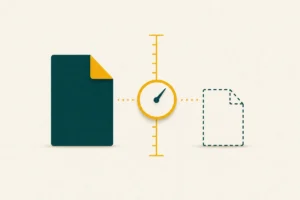 Compression size calculatorSee how much a file would shrink before you zip it - measured with the real deflate method, in your browser. Nothing uploaded.
Why “in your browser” matters
Most online file tools work by uploading your files to a remote server, processing them there, and sending the result back. That is convenient, but it means your data leaves your control and is bound by whatever size limit the service sets. The tools here take the opposite approach. Modern browsers include the same compression engine that powers ZIP files, so the work can be done locally – no upload step, no waiting on your connection, and no third party touching your files.
In practice that brings three benefits. Privacy, because sensitive documents never travel anywhere. Speed, because there is no upload or download round-trip to a server. And no real size ceiling, since you are limited only by your own device rather than a server quota.
Because the work is local, these tools keep working even with your network disconnected once the page has loaded. If a tool reports that your browser is too old, updating to a current version of Chrome, Edge, Firefox or Safari restores it – the underlying compression feature has been built in for several years.
Which tool do you need?
- Zip files online – bundle one or more files into a single .zip you can email or store.
- Unzip files online – open a .zip, see what is inside, and save individual files or all of them.
- Compression calculator – check how much a file would shrink before you bother zipping it.
If you are not sure which format to create or how extraction works on a particular device, the guides cover the background in plain language, and the questions page answers the most common sticking points.
Frequently asked questions
Are my files uploaded anywhere?
No. Every tool here reads and processes your files entirely within the browser tab. Nothing is sent to a server, which is why even confidential files are safe to use with them.
Do I need to install or sign up for anything?
No install and no account. Open the page and use the tool. The compression engine is built into your browser.
Is there a file-size limit?
There is no server quota, so the practical limit is your own device’s memory. Very large files may be slow on a low-powered phone, but there is no fixed cap.
What if a tool says my browser is not supported?
The tools rely on a compression feature built into recent browsers. Updating to a current version of Chrome, Edge, Firefox or Safari will enable them.